
Learn AI Photo Editing with Me: Week 4
Photo Cleanup Without Crossing the Line

WEEK 4 — Photo Cleanup Without Crossing the Line
Every week in this series, I’ve been testing how AI can help agents improve their listing photos without drifting into fantasy. Weeks 1–3 covered basic cleanup, lighting fixes, and removing small distractions. This week, I wanted to look at something we all deal with:
How do you make a photo clearer and more useful without changing what the property actually is?
That’s the whole point of this week.
Before & After: A Simple Exterior Cleanup
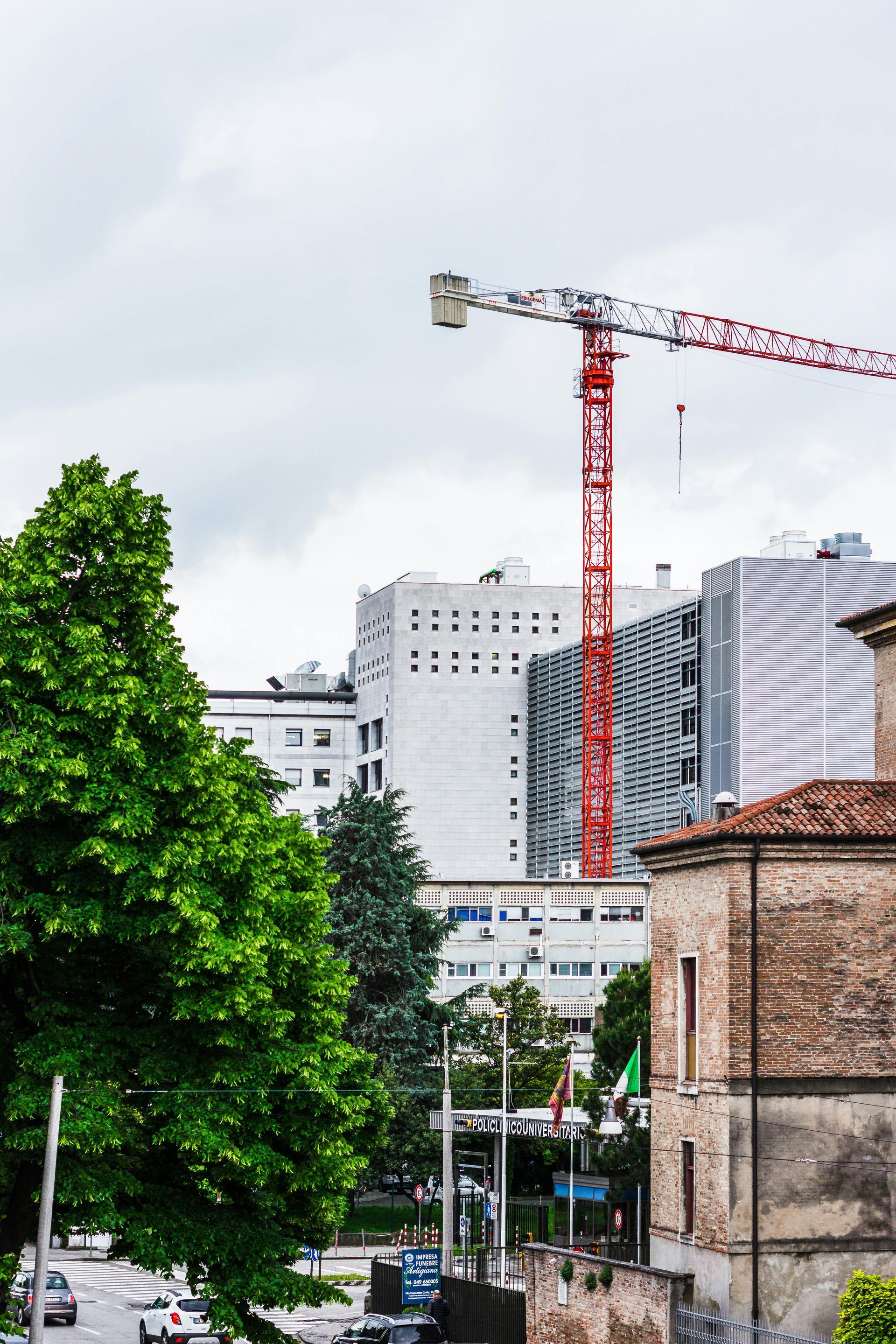
Use the slider below to compare the original exterior photo with the cleaned‑up version.
The adjustments here were straightforward:
- better lighting
- corrected color
- improved clarity
- reduced noise
- straightened verticals
Nothing about the building itself changed.
No sky replacement.
No new landscaping.
No architectural “touch‑ups.”
Just a clearer version of the same scene — the way it would have looked on a brighter day.


Why These Kinds of Edits Matter
Most listing photos don’t need dramatic changes.
They just need to be:
- brighter
- clearer
- more accurate
- easier for a buyer to interpret
That’s it.
Good editing helps the photo communicate what the eye would have seen if the weather cooperated or the camera behaved. It’s not about making the property look better than it is — it’s about removing the technical junk that gets in the way.
A Surprise Lesson: Not All AI Tools Behave the Same
Here’s where things got interesting.
I ran the exact same prompt through a different AI tool — one that turned out to be more of a creative generator than a photo editor.
Same instructions.
Same photo.
Same request.
And here’s what it produced:

This is a completely different building.
Not a cleaned‑up version.
Not a corrected version.
A
new building.
That’s when the lightbulb went on:
Some AI tools are designed to enhance a photo.
Others are designed to invent one.
If you use the wrong type, you can end up with something that looks polished but has nothing to do with reality.
What Agents Should Take Away From This
1. Use tools built for photo cleanup, not image generation.
Enhancement tools adjust what’s already there.
Generative tools create new content.
2. Always compare the before and after.
If the property changes, the edit isn’t usable.
3. Keep the goal simple.
Make the photo clearer — not different.
4. If a tool starts “helping” too much, switch tools.
A clean edit should feel invisible.
Closing Thought
This week wasn’t just about brightening an exterior photo — it was about understanding the tools we’re using.
AI can absolutely help us present properties more clearly. But it can also go off the rails if you’re not paying attention.
The job isn’t to avoid AI. The job is to use it in a way that keeps the property honest and the photo useful.
Next week, we move into
virtual staging — the practical version.
No fantasy renovations.
No imaginary upgrades.
Just clean, realistic staging that helps buyers understand space.
On to Week 5.